

How to add Flodesk deliverables to a report
Flodesk is a popular email platform, and we often get requests from InfluenceKit users about how to add Flodesk deliverables to a report.
You can connect Flodesk with an API key so InfluenceKit tracks your subscriber count automatically (see Show your newsletter subscribers on Channels and your media kit). Flodesk doesn’t yet offer a way for InfluenceKit to pull a specific email’s stats, like opens and clicks, into a report. So for now, you add Flodesk email deliverables manually — it only takes a minute.
How to add Flodesk deliverables to a report:
-
Add a publicly viewable Flodesk email link as a deliverable and click Add.
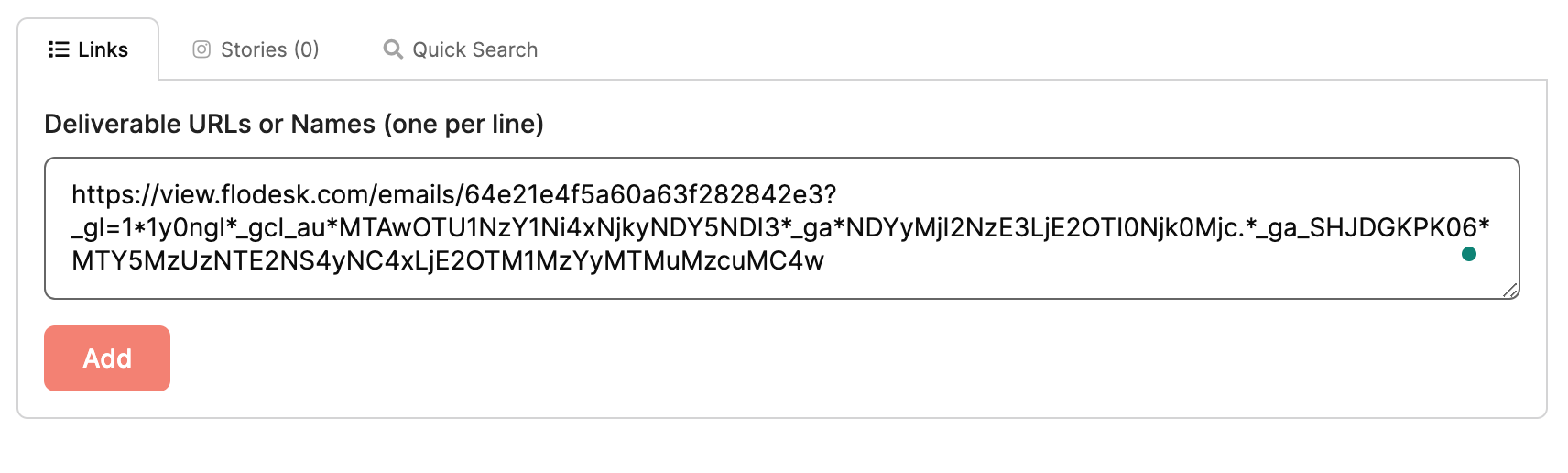
Flodesk shareable email links follow this format: https://view.flodesk.com/emails/….
-
After the deliverable has been added, click the Preview & edit link.

-
Once the deliverable has been expanded, you can enter custom stats.
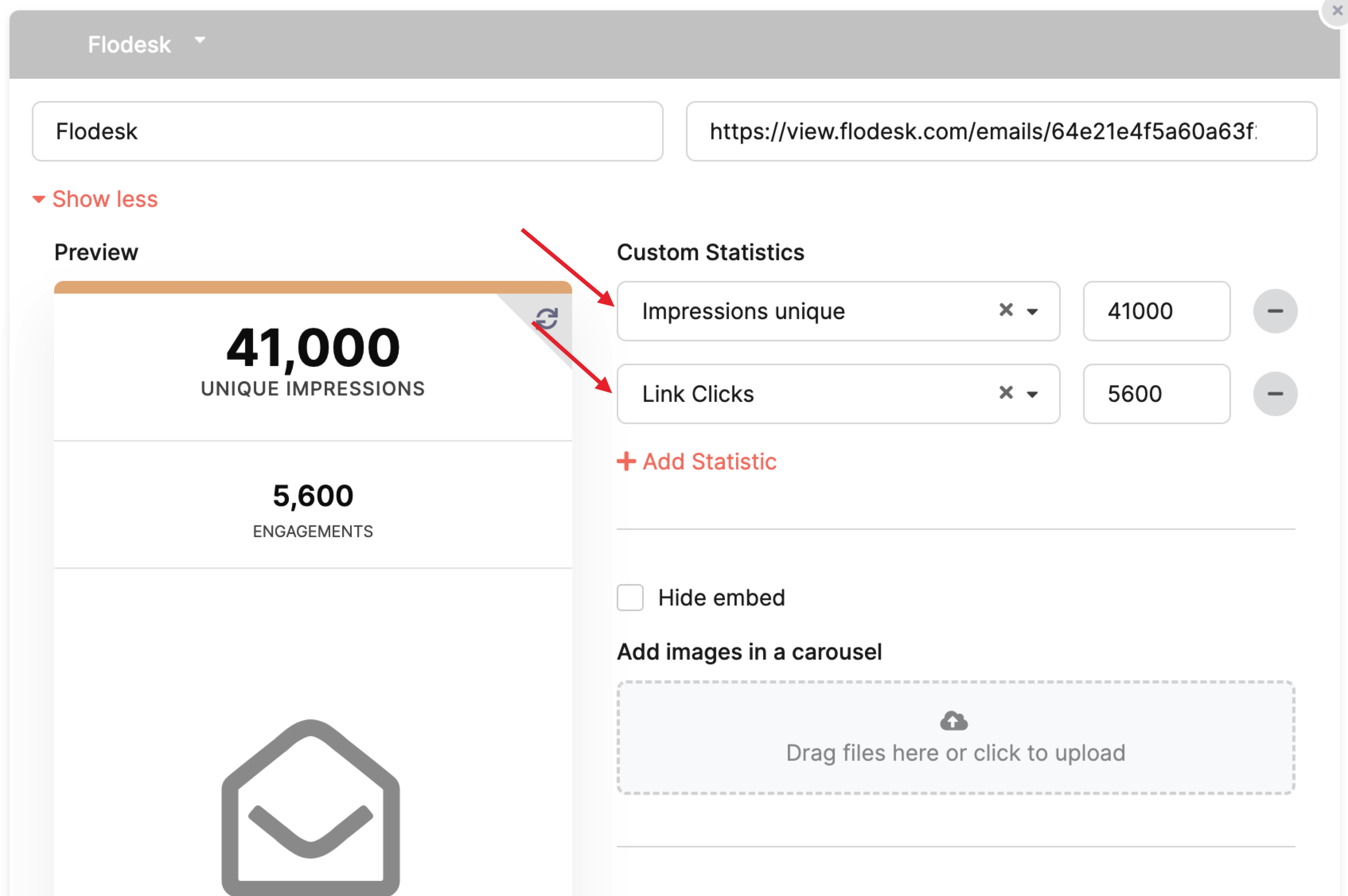
Enter the number of Opens: select Impressions unique and enter the number of opens (without commas).
Enter the number of Clicks: click Add statistic manually, select Outbound clicks from the drop-down, and enter the number of clicks.
-
You can continue the steps above for additional stats, like replies or total opens (impressions).
That’s it! You’ve now added a Flodesk deliverable to your report.
You can help us add an official Flodesk connection!
Flodesk is one of our most popular integration requests. We’ll pull email stats in automatically as soon as Flodesk makes them available. You can help by reaching out to support@flodesk.com, letting them know you use InfluenceKit, and asking them to make email campaign stats (opens, clicks, open and click rates) available for reporting integrations.
If enough users let Flodesk know this is a priority, there’s a good chance they’ll prioritize it.