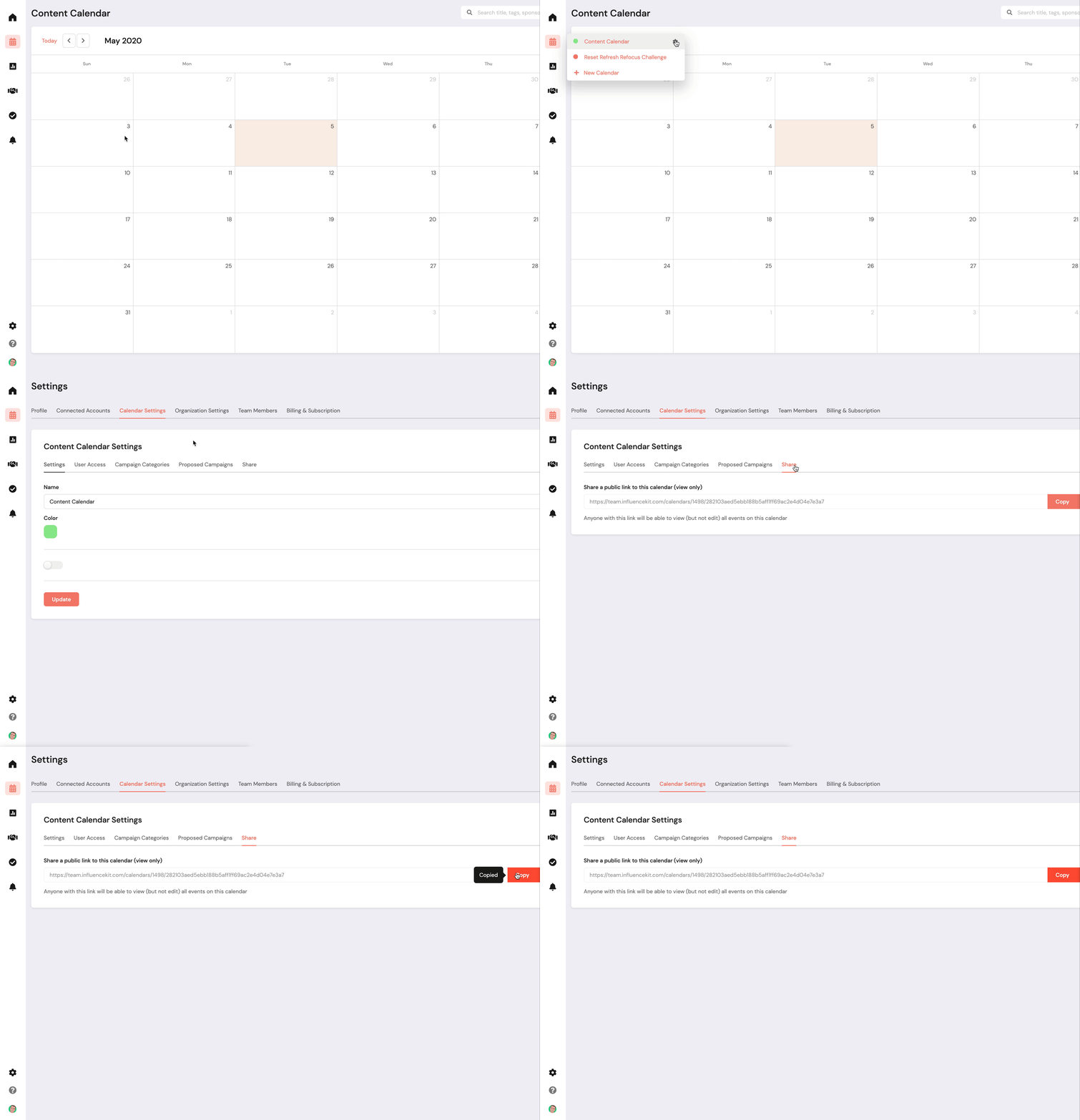

How To Share a Read-only Version of Your Calendar
You can share a read-only version of your InfluenceKit calendar — useful if a sponsor wants to see what content you have planned without giving them access to your account.
Here’s how:
- Go to Calendar Settings (in Settings).
- Click the ⋯ on the calendar you want to share, then click Share.
- Copy the link under “Share a public link to this calendar (view only)” and send it to anyone you’d like.